
Web design / Roofing
Web design for roofing companies
Roofing enquiries are urgent and local. Your website has to load in a second on a phone, show the number, and prove you are the real thing.
Based in London. Working across the UK.
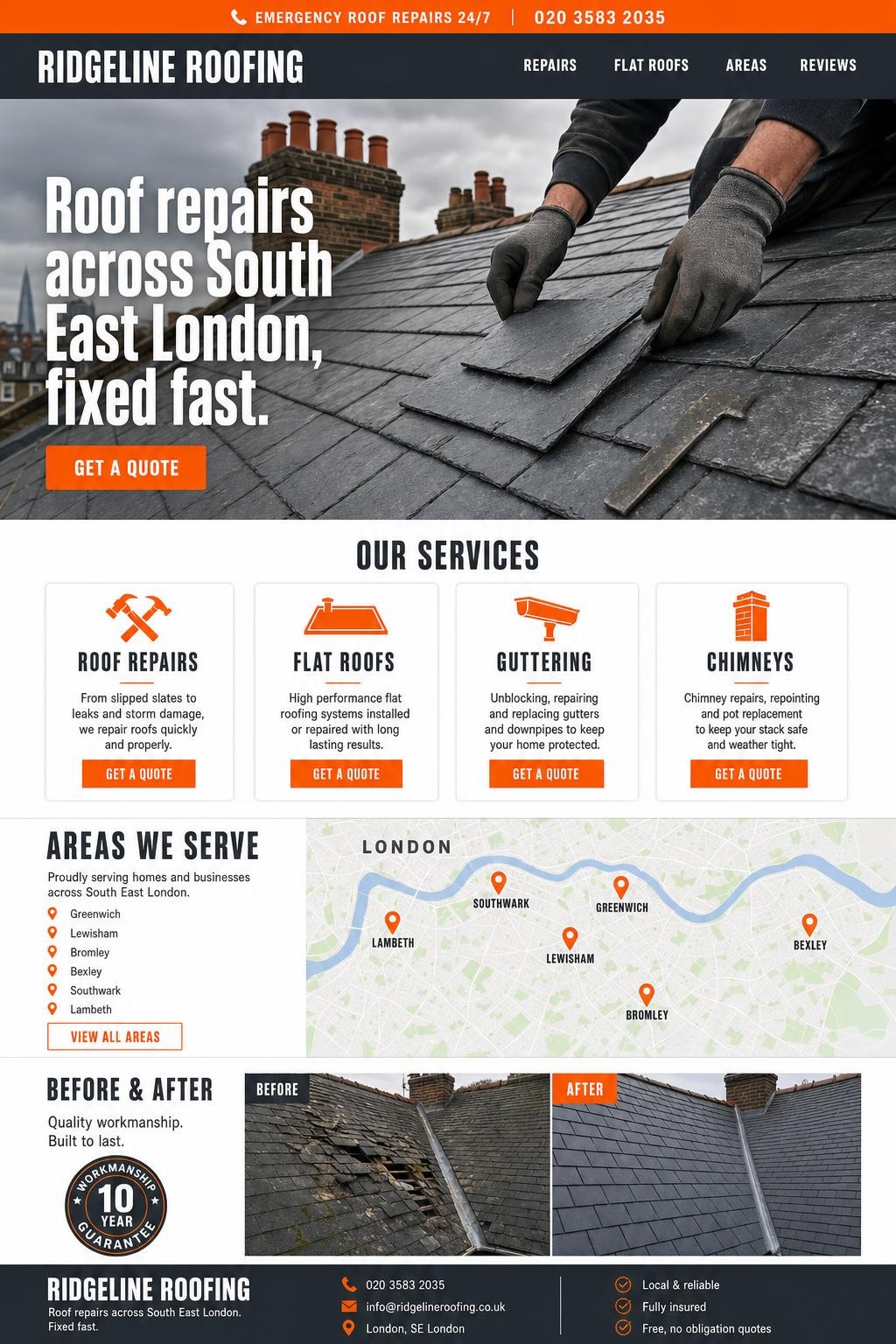
Customer journey
What your customers do before they call
A homeowner with water coming through the ceiling does not browse. They search, tap the first credible result and call. The rest of the time they compare quotes for a new roof and want to see real photos, real reviews and a company that will still exist in ten years.
We build roofing websites for both moments: an emergency path that is one tap from a call, and a considered path with photo-led case studies, guarantees and clear service pages.
Questions your customers may search for
- emergency roof repair near me
- roofers in London
- flat roof replacement cost
- roof leak repair
- roofing company reviews
- new roof cost UK
Illustrative searches, not measured demand. We group related questions into useful pages and check priorities against your services, customer enquiries and available search data.
What we build
What we can plan for your roofing company website
We agree the pages, content and enquiry journey in your proposal. The options below are shaped around your business; applications, connections and ongoing support require an agreed scope.
One-tap emergency call on mobile
A fixed call button and your hours of cover on every page, so the urgent visitor never has to hunt for a number.
Service pages per job type
Repairs, flat roofs, slate and tile, chimneys, guttering and fascias: one page each, written for how people search.
Service areas and local work
Explain where you work and show permitted photographs of relevant jobs. Add a separate area page only when you have useful, original local information to share.
Photo-proof case studies
Before, during and after photos from your own phones, arranged so quality is obvious without a word of copy.
Guarantees and insurance, clearly stated
Workmanship guarantees, manufacturer warranties, public liability and accreditations shown together where quotes are compared.
Storm-season landing pages
Pages ready for the weeks after a storm, when searches spike and every competitor is fully booked.
Connected systems
Job booking and crew dispatch
For roofing firms with several crews we build booking and dispatch tools: emergency jobs land in a queue, the nearest crew is assigned, photos are taken on site for the quote, and the customer gets updates by text.
- Emergency job queue with crew assignment
- Site photos and measurements straight into the quote
- Customer text updates from booked to finished
AI solutions
Your AI agent works storm weekends
Prepare an emergency-availability banner and service-hours update from information your team confirms. Publishing permissions and support availability are agreed in the care plan.
Available capabilities depend on your agreed plan, connected systems and publishing permissions. Usage, monitoring and human support are scoped separately.
AI assistants and workflow automation- Switch emergency availability on and off by message
- Add before-and-after jobs from the van
- Open new areas-served pages as you expand
Digital services for roofing.
Four stops from first call to live site.
Discover
Agree the audience, customer tasks, existing systems and evidence available. Confirm the scope, costs, responsibilities and dependencies before setting milestones.
Design
Review the page structure, mobile journeys and approved content. Resolve questions about imagery, editing and the next action before the build.
Build
Develop the agreed pages and connections. Check forms, permissions, responsive layouts and failure paths against the acceptance brief.
Launch
Complete the agreed checks and content approval, then confirm access, handover and the support route. Any ongoing work is defined separately.
Before we begin
Questions roofers ask us
Answers specific to this business type. Anything else, just ask.
Can the site show that we are available now?
Yes. A simple availability banner your team can switch from a phone, plus your hours of emergency cover, tells urgent visitors they have found the right firm.
Do we need professional photos?
No. Roofing sells on real before-and-after photos taken by the crew. We give you a checklist and edit everything consistently.
How do we compete with the national roofing lead sites?
Give homeowners evidence they can assess: your actual service areas, completed jobs, customer feedback and a clear way to request a survey. We build pages around that information and measure relevant enquiries. Search positions depend on competition and other factors, so we do not promise to outrank another site.
Guides for roofers
All roofing guides- Handling missed calls while your roofing team is on site
Turn unanswered roofing calls into owned, prioritised enquiries with a realistic callback rota, a simple triage script and careful automation that never promises round-the-clock cover.
- Roofing quote templates that make scope clear
Use this copyable roofing quotation structure to define the work, surface assumptions early and turn an accepted quote into a cleaner operational handover.
- Qualifying roof enquiries before booking a survey
Give office staff a consistent way to collect useful roof-enquiry details, route urgent cases and prepare surveyors without diagnosing defects remotely.
Also built for
Explore all starting pointsTell us about your roofing company.
Tell us what you have in mind. We’ll email you to arrange a short discovery call.
Prefer email? info@brandflame.co.uk
Thanks, we have your message.
We’ll review your enquiry and get in touch to discuss the next steps. Keep an eye on your inbox for a couple of call times.
What happens next
- We read your message and review your current digital presence and goals.
- We book a thirty-minute video call at a time that suits your week.
- Once the scope is agreed, we’ll set out the proposed work, costs and schedule in writing.
We’ll review your enquiry and get in touch to discuss the next steps.
How we price your project